SWIFT
UTILS
The all-in-one PvP mod for Fabric. Health on nametags, a gap alert, bigger drops, item lock, freelook, one-key coords and every keybind on a real keyboard. One menu, zero setup.
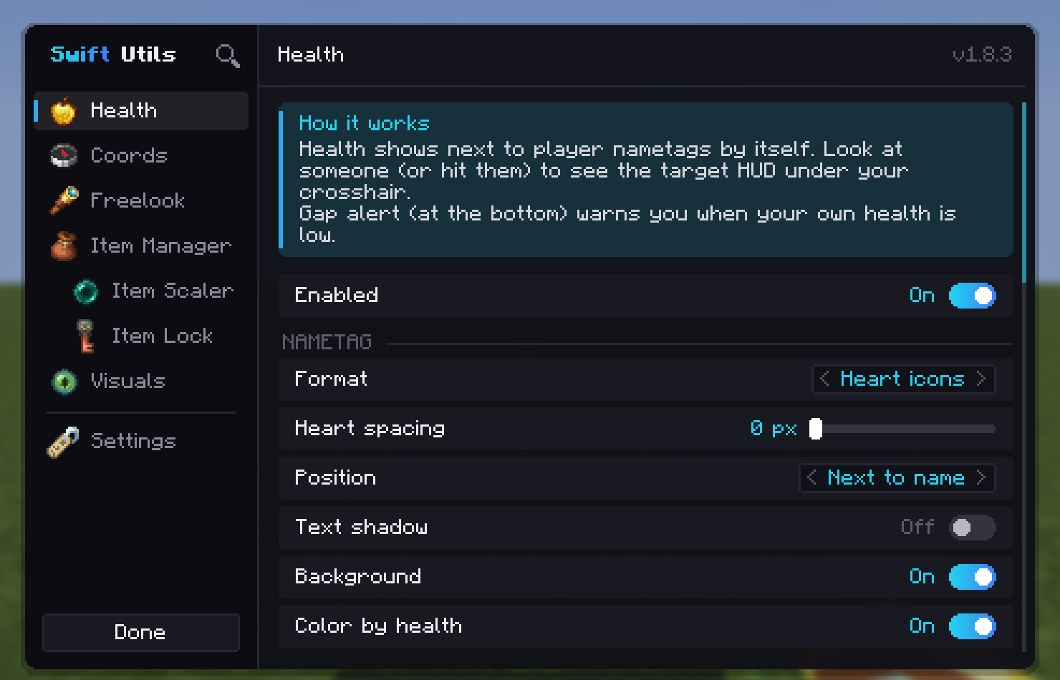
Everything in one menu
Press Right Shift in game. Every tab explains how it works, and Ctrl + F searches every setting.
Built for PvP
Small tools that win fights. All client side: works on any server, nothing to install there.
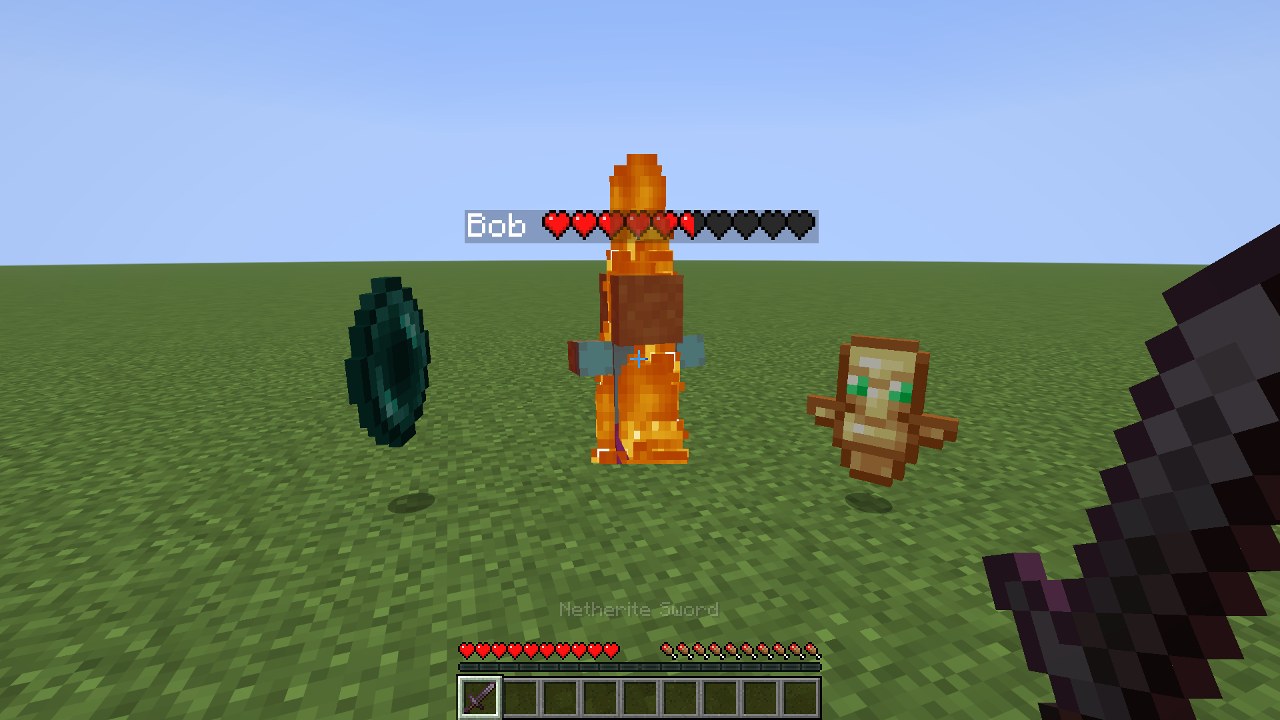
 Health on nametags
Real heart icons, hearts, HP or percent next to (or above) every name. Colored by health, gold with absorption, optional shadow and no background. Even reads the health some servers hide.
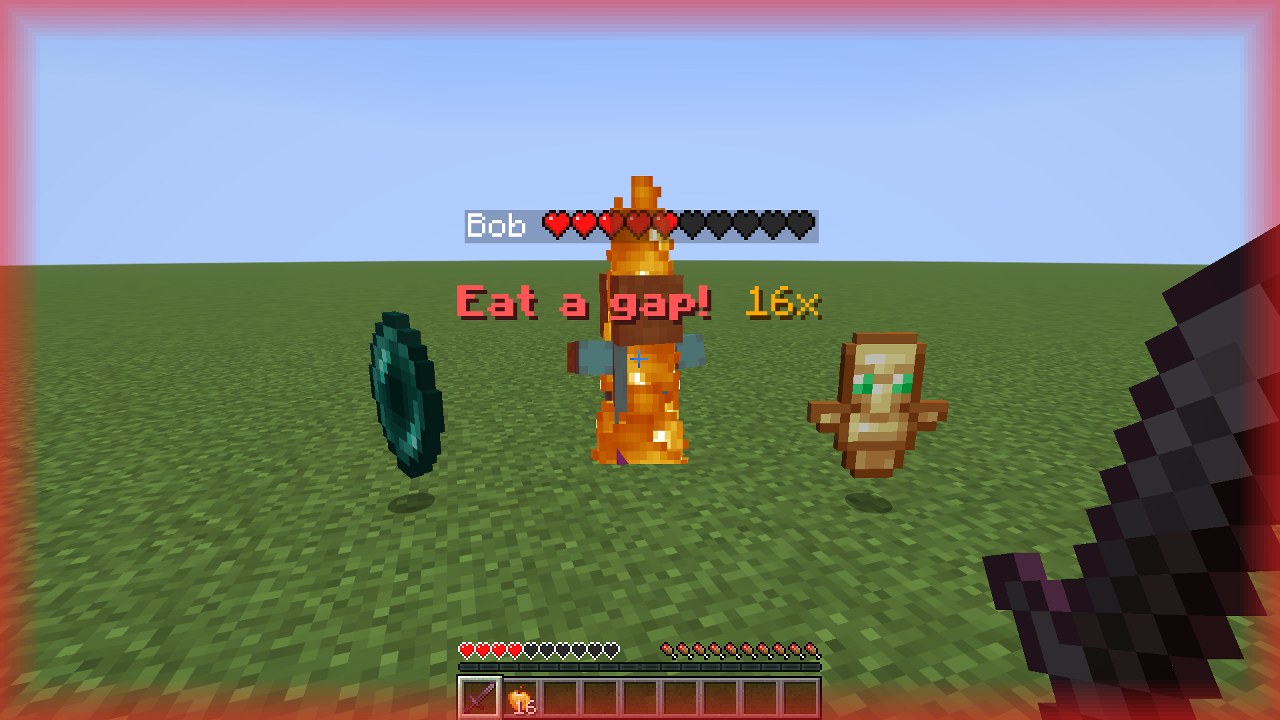
 Gap alert
Low on hearts? Flashing text with your gapple count, a sound and red screen edges.
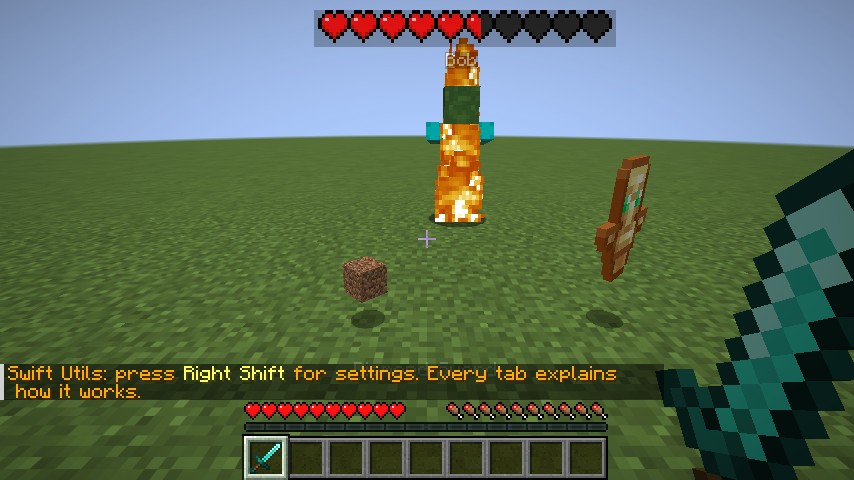
 Item scaler
Totems, pearls, gapples and netherite get bigger on the ground. Hide the junk.
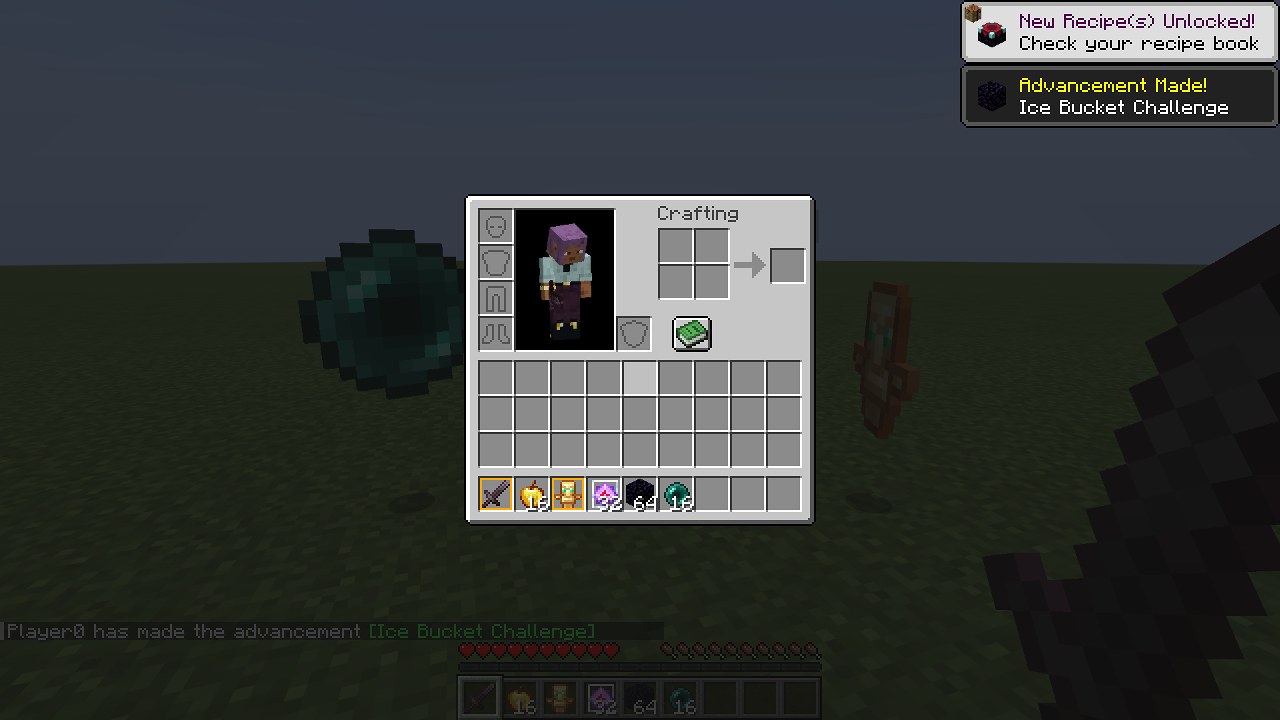
 Item lock K
Locked items can't be dropped by accident. Profiles per server.
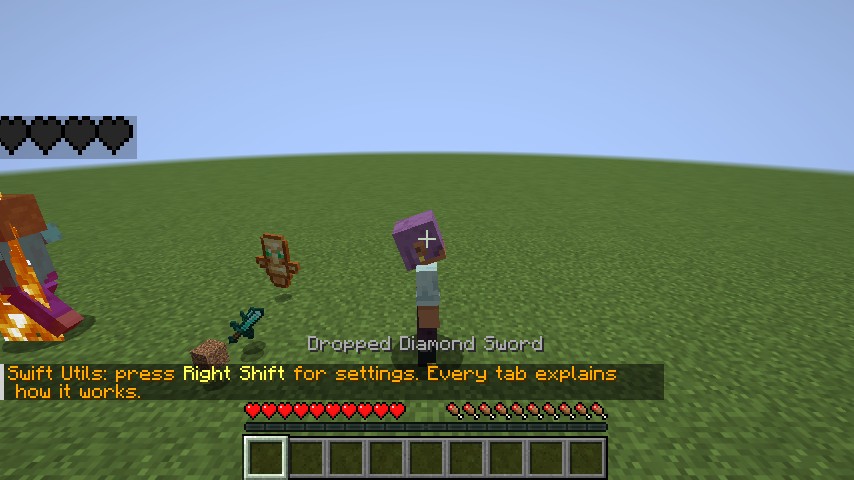
 Freelook Alt
Look around in third person without turning your player.
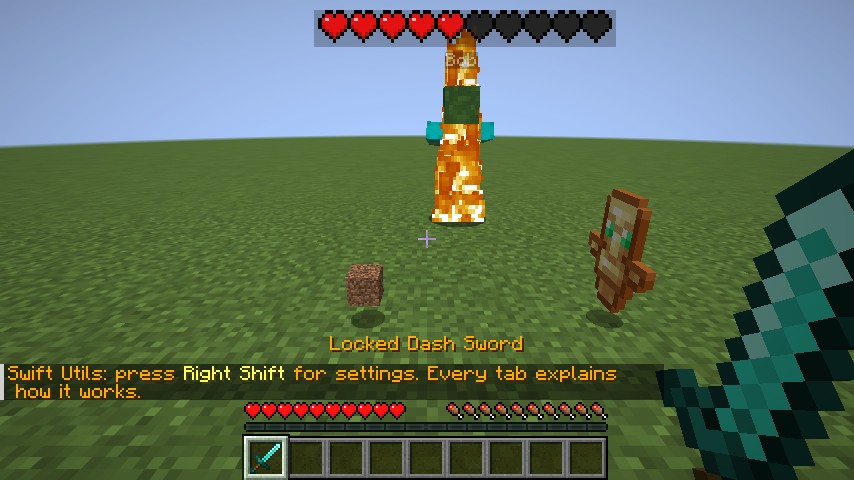
 Target HUD
Name and health of who you look at or hit. Drag it anywhere, any size.
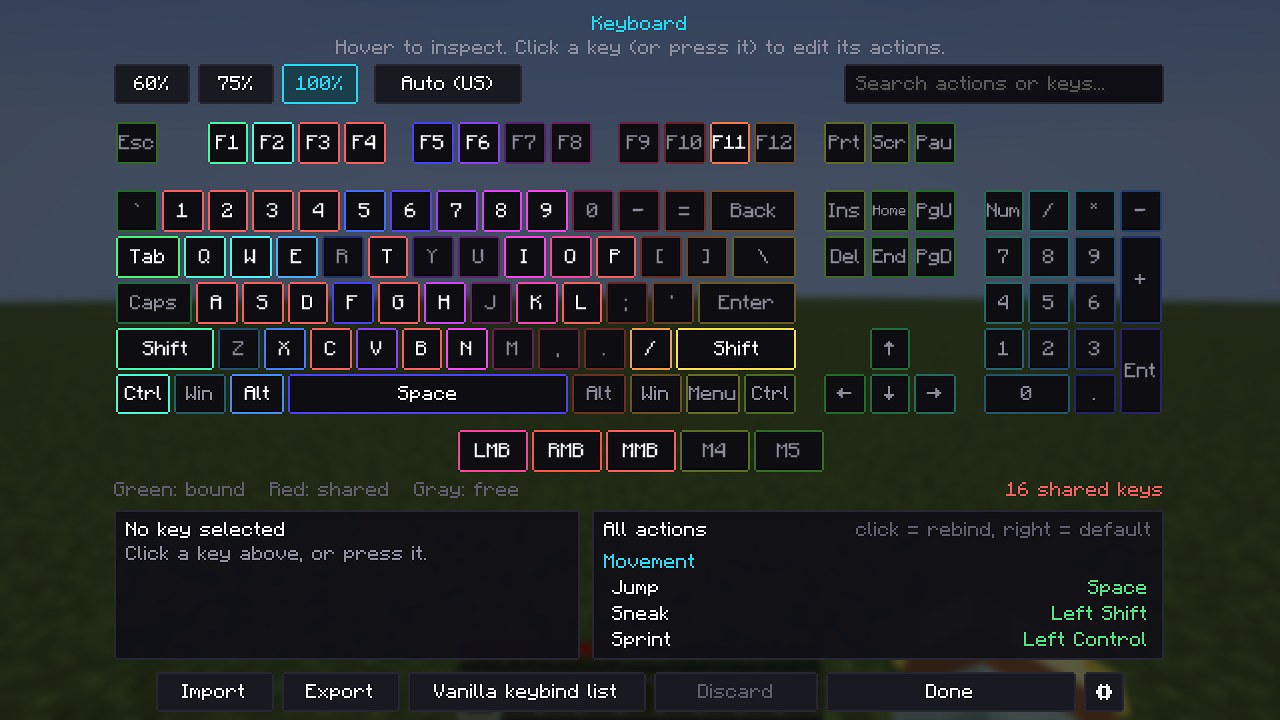
 Visual keyboard
Every keybind (also from other mods) on a 60/75/100% keyboard. Red = two actions on one key. Six key styles.
Your menu, your look
Pick a menu style in Visuals. Swift and Glass also take your own accent color, a gradient and a background.
- Swift: the clean Swift Utils look.
- Glass: see-through liquid glass over your game.
- Vanilla: the game's own buttons and sliders.
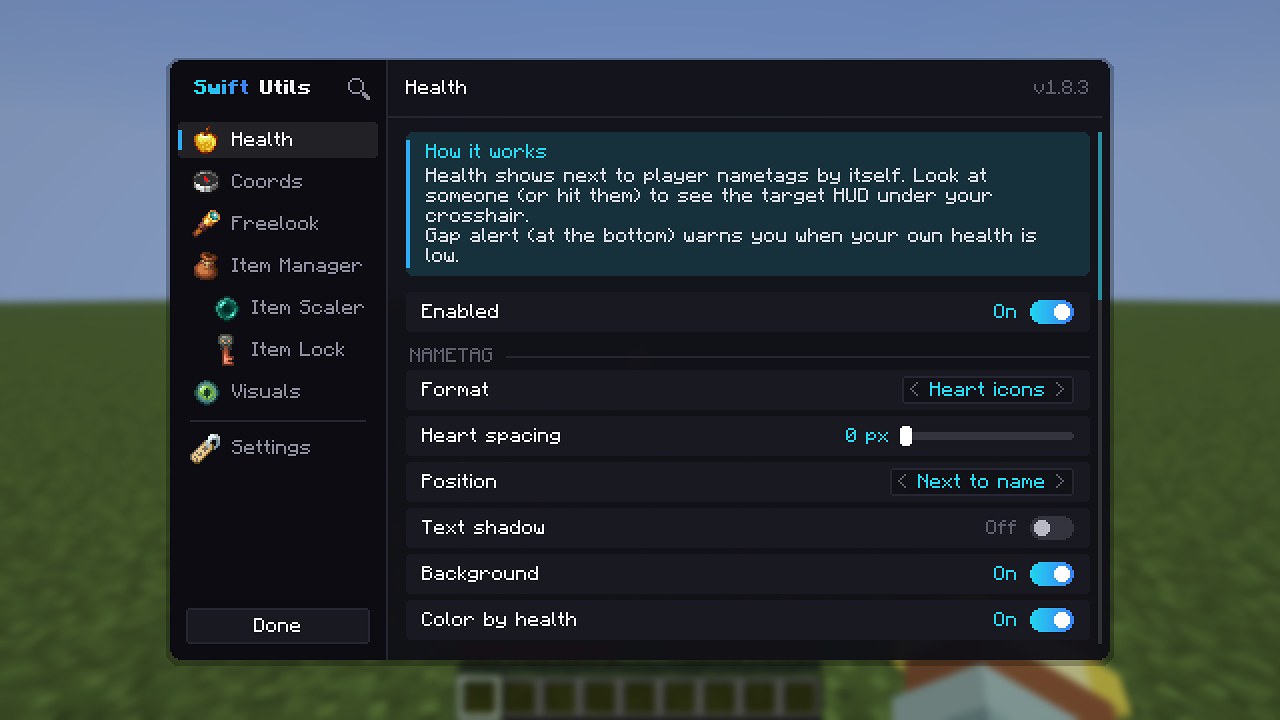
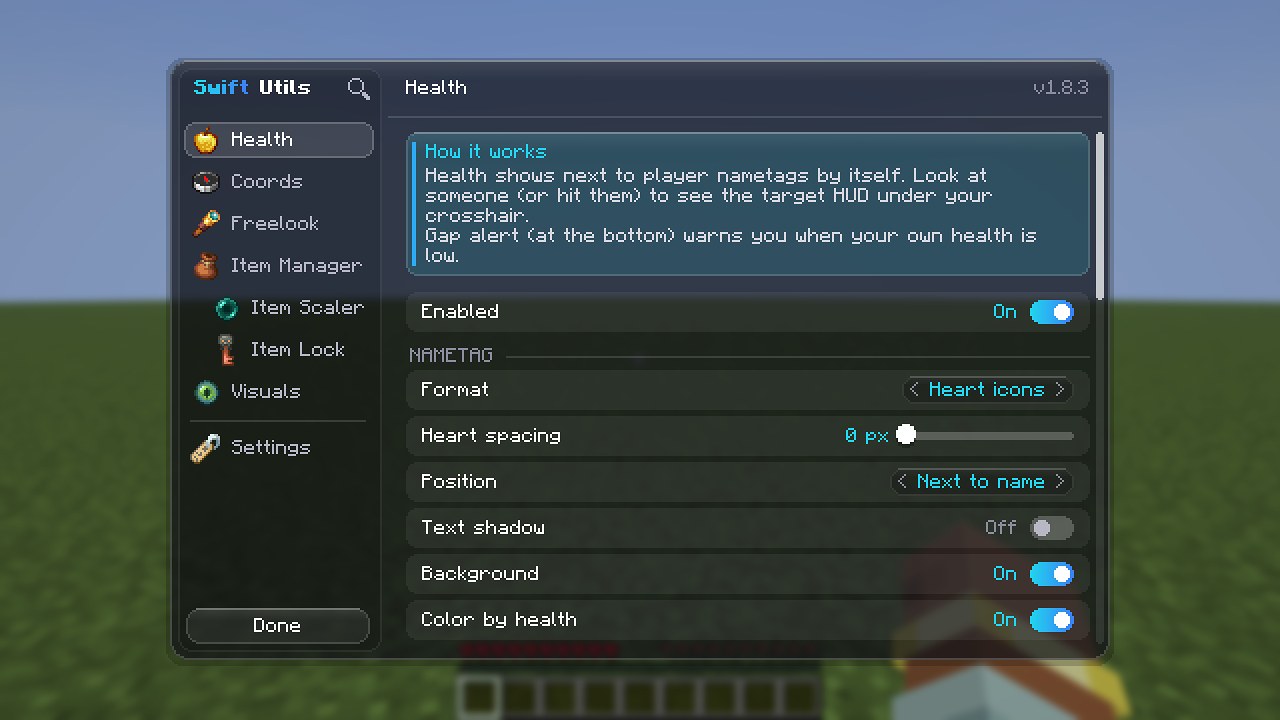
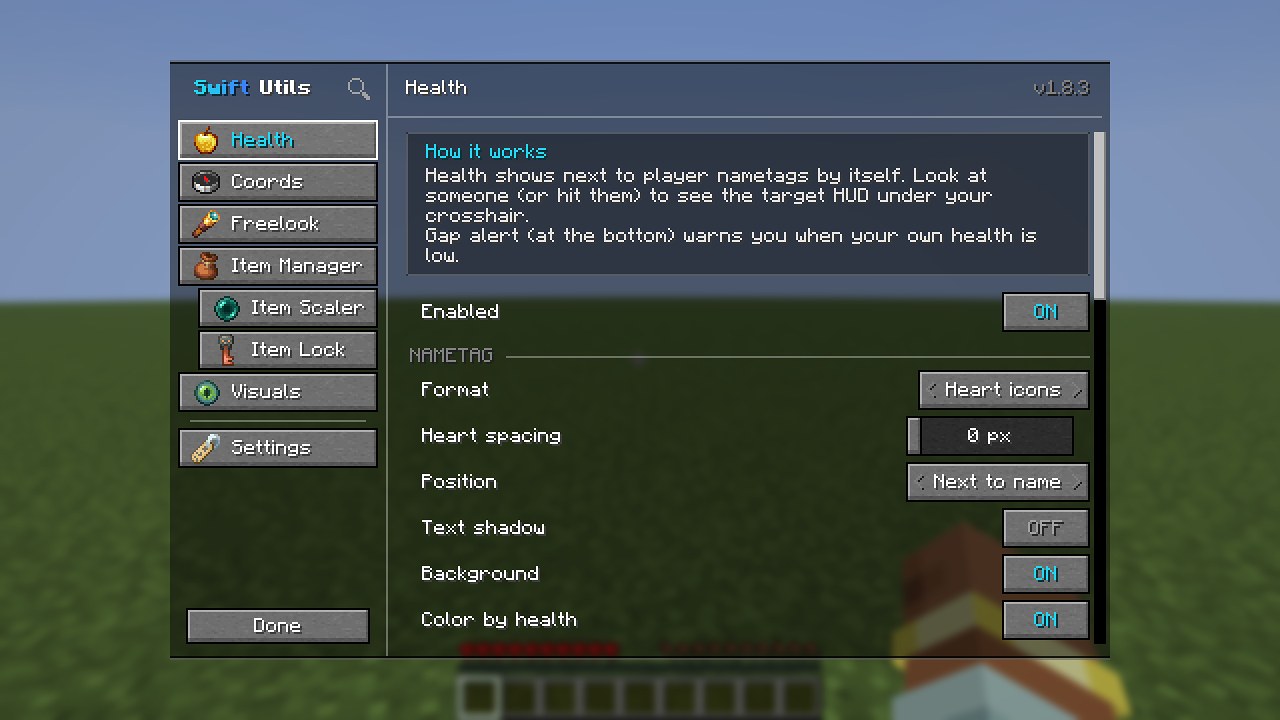
Keyboard styles
Options › Controls › Keyboard… shows every keybind. Click the gear in the bottom right to change the look. Press keys on your keyboard: they light up, just like in the mod.
Never forget to gap
Turn on Gap alert at the bottom of the Health tab. Drag your health down and see what happens.
- Only with gapples: no alert when you have none.
- Your own text, position, size and a ping / bell / beep / orb sound.
- Hidden while you eat a gapple.
Coords placeholders
Press B and your coords go in chat. You write the message, everything in {curly brackets} gets filled in.
{biome}, not ((biome)) or (biome). Round brackets are just text, so ({dim}) becomes (Overworld).Paste it in game: Swift Utils › Coords › Message. Dimension names go in Coords › Dimension names.
{x} {y} {z}Just the numbers. Clean for Discord.
Help at {x} {z} ({dim}), {hearts} hearts left!Call your team mid fight.
Portal: {ox} {oz} in the other dimensionWhere to build the linked portal.
Get Swift Utils 1.8.3
One jar per Minecraft version. Pick yours.
Install Fabric Loader for your version (Modrinth app, Prism or the Fabric installer).
Put Fabric API and the Swift Utils jar in your mods folder.
Start the game and press Right Shift. Done.
Questions
Which jar do I need?
The one with your Minecraft version in the name. 1.21.11 needs Java 21, 26.x needs Java 25 (launchers like Modrinth pick the right Java for you). A jar only works on its own version.
I had PvP Essentials. Do I lose my settings?
No. Since 1.8.0 the mod is called swift-utils. On first start your old pvpessentials.json moves to swift-utils.json and your keybinds stay. Delete the old pvpessentials jar from your mods folder.
Is it allowed on servers?
It is fully client side and only changes what you see and your own controls, like many PvP utility mods. Every server has its own rules though, so check them if you are not sure. Item lock only stops your own client from dropping items; you still drop everything on death.
How do I open the settings?
Press Right Shift in game, or use Mod Menu. The keyboard is in Options › Controls › Keyboard…
Why does my coords message show {biome} as text?
Check the brackets: it must be {biome} with curly brackets, all lowercase. The Coords tab in game lists every placeholder; click one to add it.
Found a bug or have an idea?
Tell Swylow or S1mpleDimple, or use Report a bug in the Settings tab.